Using Techniques
Controls
Press G to open the Breath Menu. Toggle combat mode with Left Alt, then use the assigned skill keys to cast techniques. The default eight skill keys are 1 through 8.
To cast, you need a Nichirin Sword in your main hand, an active breathing style, the required level, enough stamina, and a technique whose cooldown has finished. Control effects can also prevent casting; see Combat States.
All these keybinds can be changed under Options → Controls → Key Binds → KimetsuCraft. Open Wiki is unbound by default.
The Breath Menu
The menu opens through sliding fusuma doors, with your character on the stage behind them. It brings your progression, technique details, and combat settings together.
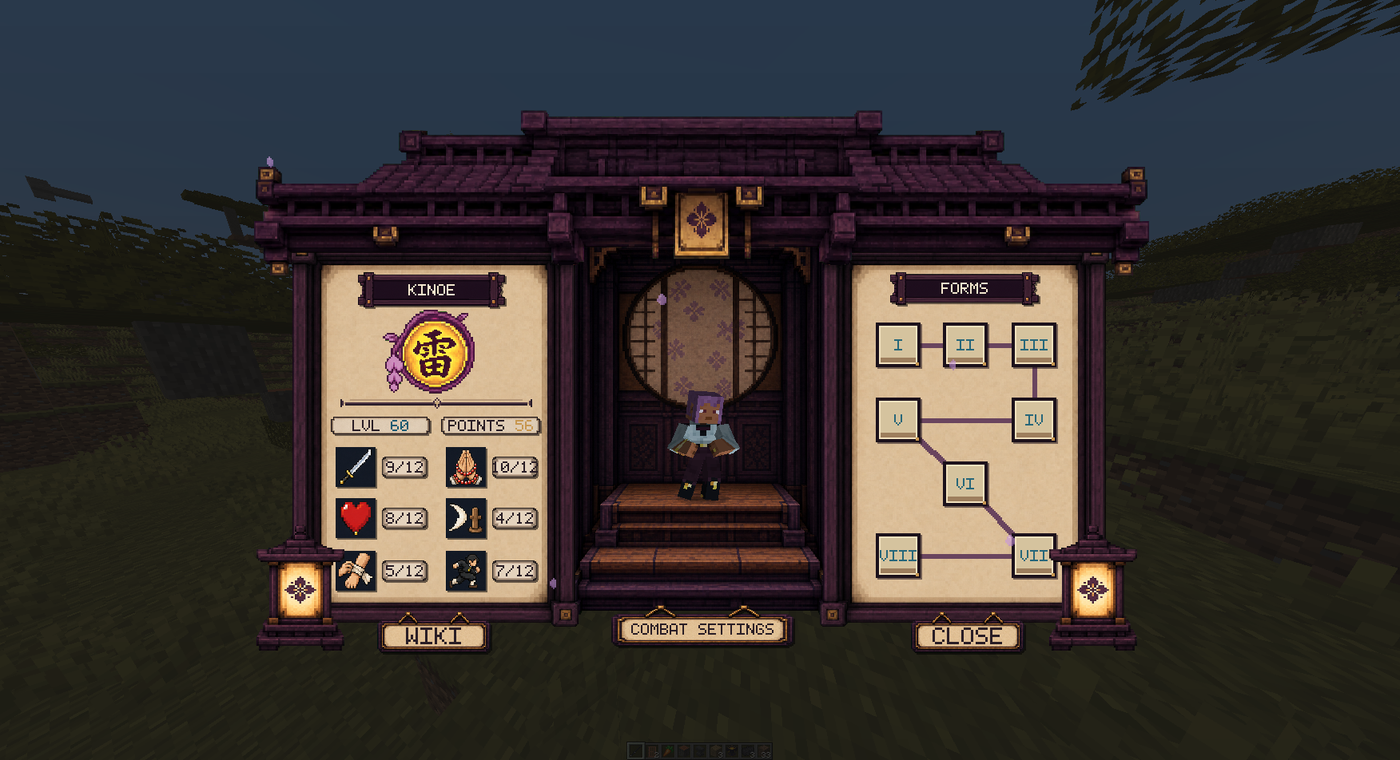
- Overview: inspect your level, rank, attributes, and the tree of eight forms. Attribute descriptions explain what each stat does. Spend available points with the stat + buttons.
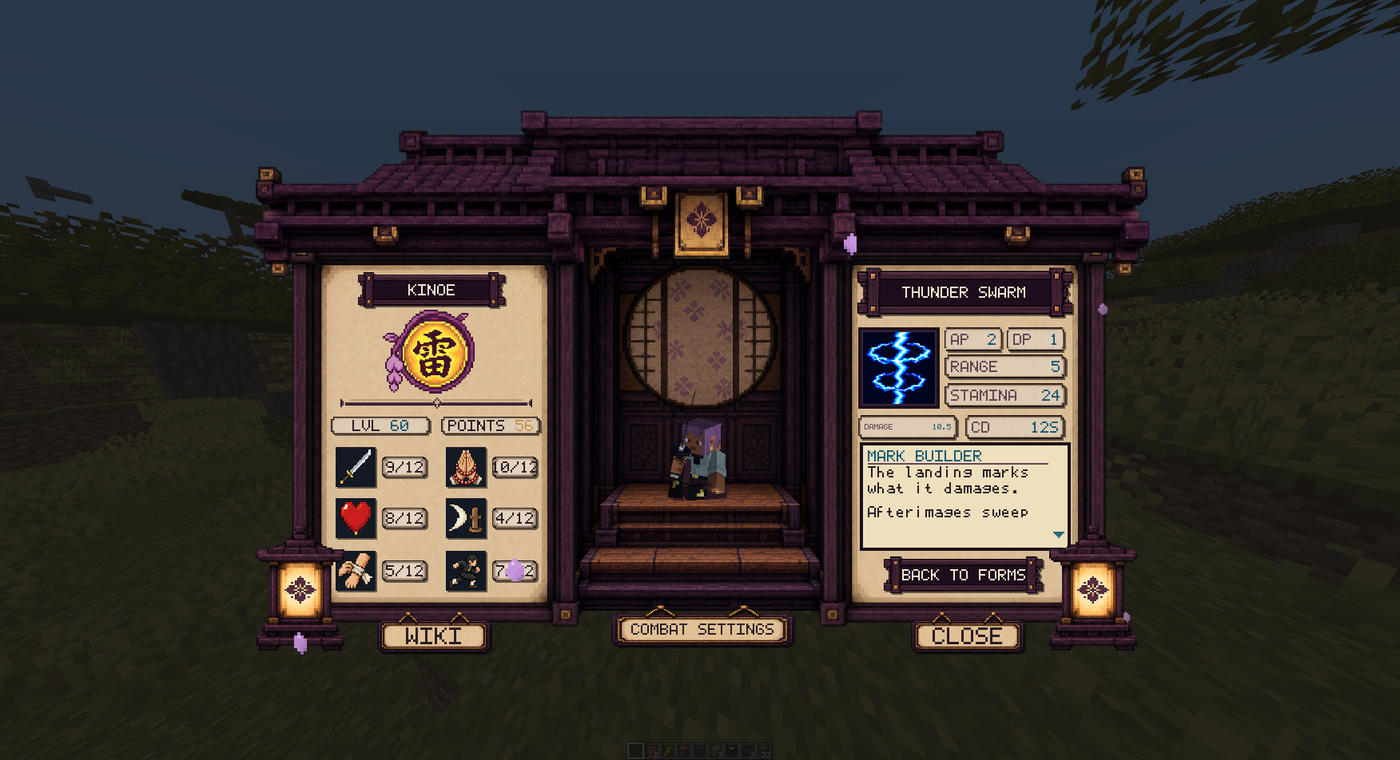
- Technique details: select a form to read its description and values. Locked forms can still be inspected before you unlock them. Descriptions and numbers reflect the server's configured balance.
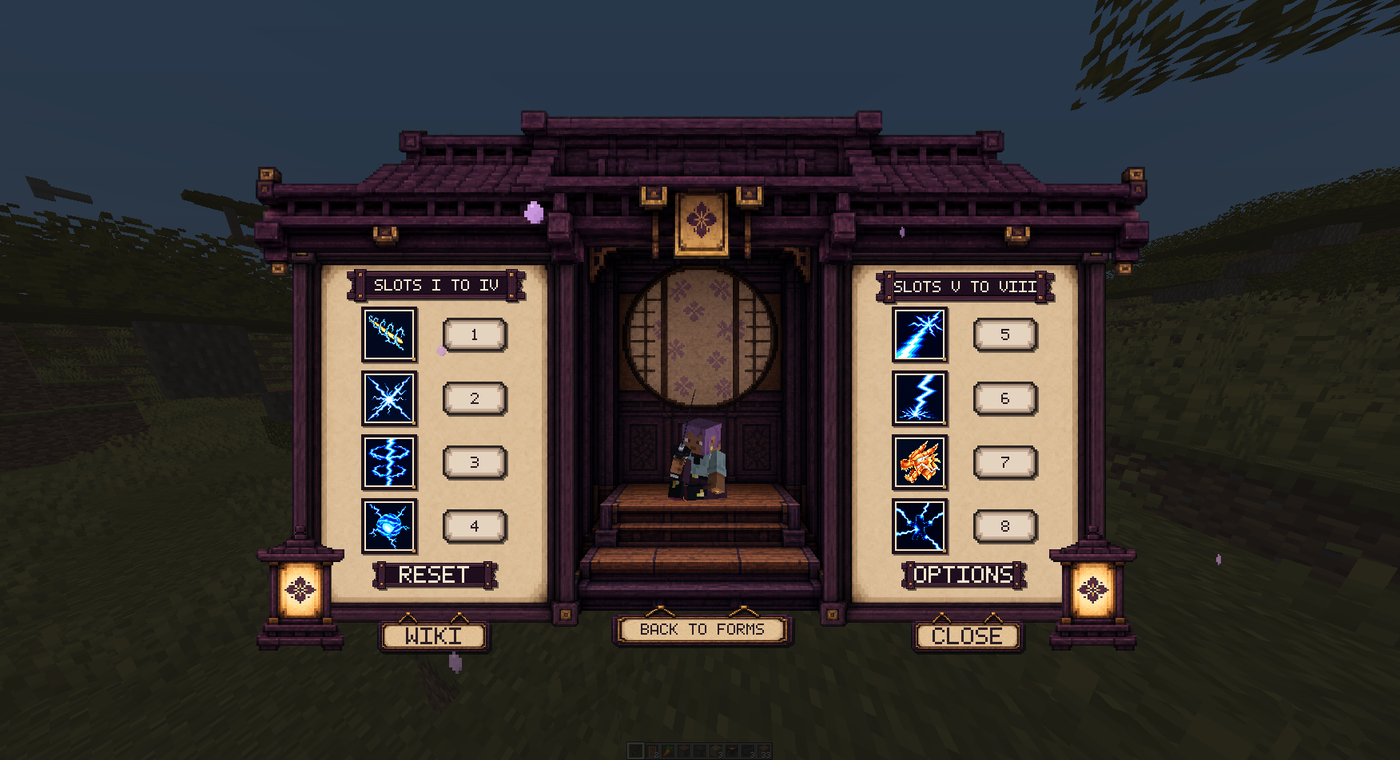
- Combat: arrange the eight skill slots. Click an unlocked technique icon to pick it up, then click another slot icon to swap their assignments. Changing the physical key for a slot uses Minecraft's Key Binds menu.
Combat Preferences
Open Options in the Combat view to adjust these local preferences:
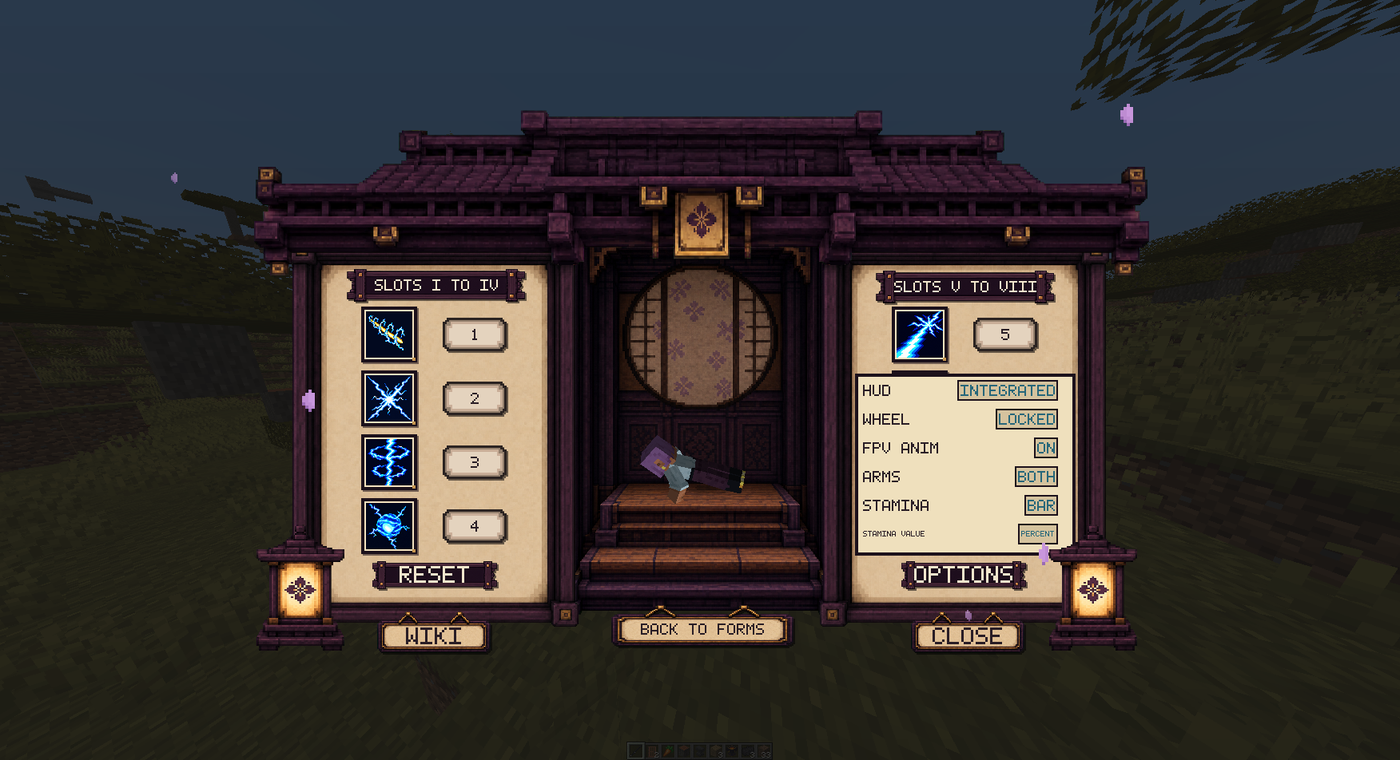
| Setting | What it changes |
|---|---|
| HUD | Integrated replaces the vanilla hotbar with skill slots during combat. Classic keeps the vanilla hotbar and displays skills separately. |
| Wheel | Lock scrolling to prevent accidental held-item changes during combat, or leave it free. Menus still scroll normally. |
| FPV Anim | Enable or disable first-person technique animations. |
| Arms | Show both arms or only the sword arm during first-person animations. |
| Stamina | Choose the bar or the vertical Nichirin display. |
| Stamina Value | Show a percentage or raw stamina value on the bar. |
Integrated HUD with the stamina bar is the default. See Stamina for its placement.
Reading a Technique
The detail sheet describes the attack and shows damage, range, stamina cost, cooldown, and priority. AP (Attack Priority) is checked against the target's DP (Defense Priority) to decide whether a hit passes its defense. See the Priority System.
Damage scaling depends on the form. A listed +DEX value adds damage per Dexterity point; multi-hit and charged techniques have their own phases and multipliers. Use the style pages for those details:
Thunderclap and Flash and Rengoku use charge inputs. Follow the instructions on their style pages instead of treating them as ordinary single-press attacks.